
Download Syncios Mobile Manager – iOS Device Management, Media Transfer, App Backup
Overview
Syncios Mobile Manager is a productivity-focused tool designed to simplify the management of iOS devices such as iPhones, iPads, and iPod Touches, offering a streamlined alternative to Apple’s iTunes. The app enables users to connect, organize, and transfer content between their iOS devices and computers without relying on iTunes. Its primary purpose is to eliminate the complexity often associated with Apple’s ecosystem, particularly for users who find iTunes cumbersome or outdated. By providing a more intuitive interface and a suite of essential management functions, Syncios Mobile Manager addresses common pain points such as slow sync speeds, difficult navigation, and limited file transfer options.
The target audience includes both casual users and professionals who frequently manage iOS devices, such as content creators, educators, and IT administrators. The app is especially beneficial for individuals who need to transfer media, back up applications, or remove unwanted apps without using Apple’s official software. Real-world use cases include transferring personal photo albums from an iPhone to a PC, exporting music libraries, or preparing devices for resale by wiping data and restoring clean configurations. In the broader app ecosystem, Syncios Mobile Manager fills a niche for third-party tools that enhance iOS device accessibility on Windows platforms, providing a valuable utility for users seeking greater control over their mobile content.
Key Features & Functionality
- Easy Device Connection: Users can connect their iOS device via USB, and the software automatically detects and establishes a secure link with the device within seconds. This eliminates the need for complex setup procedures or manual configuration.
- Efficient Media Export: The app allows users to browse and select photos, videos, and audio files directly from their iOS device and export them to any local folder on the computer with a simple drag-and-drop or click-and-save process.
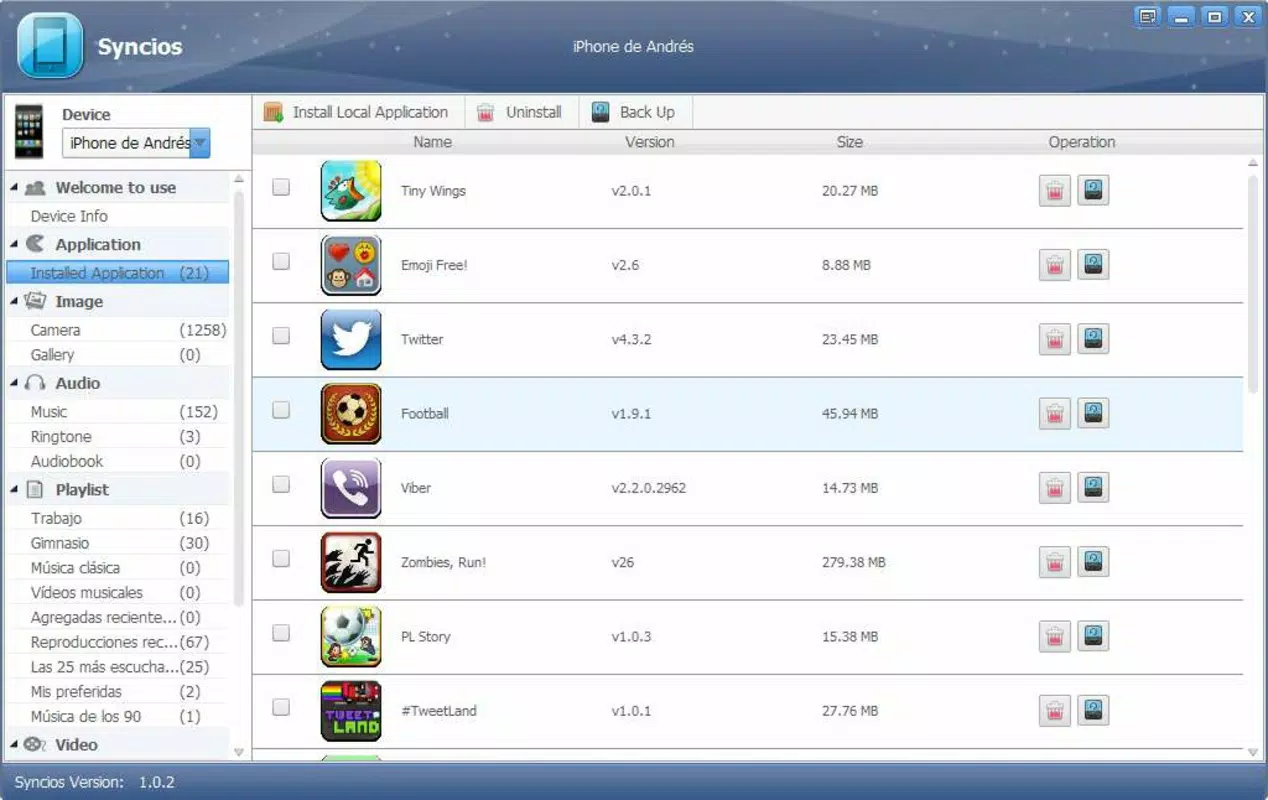
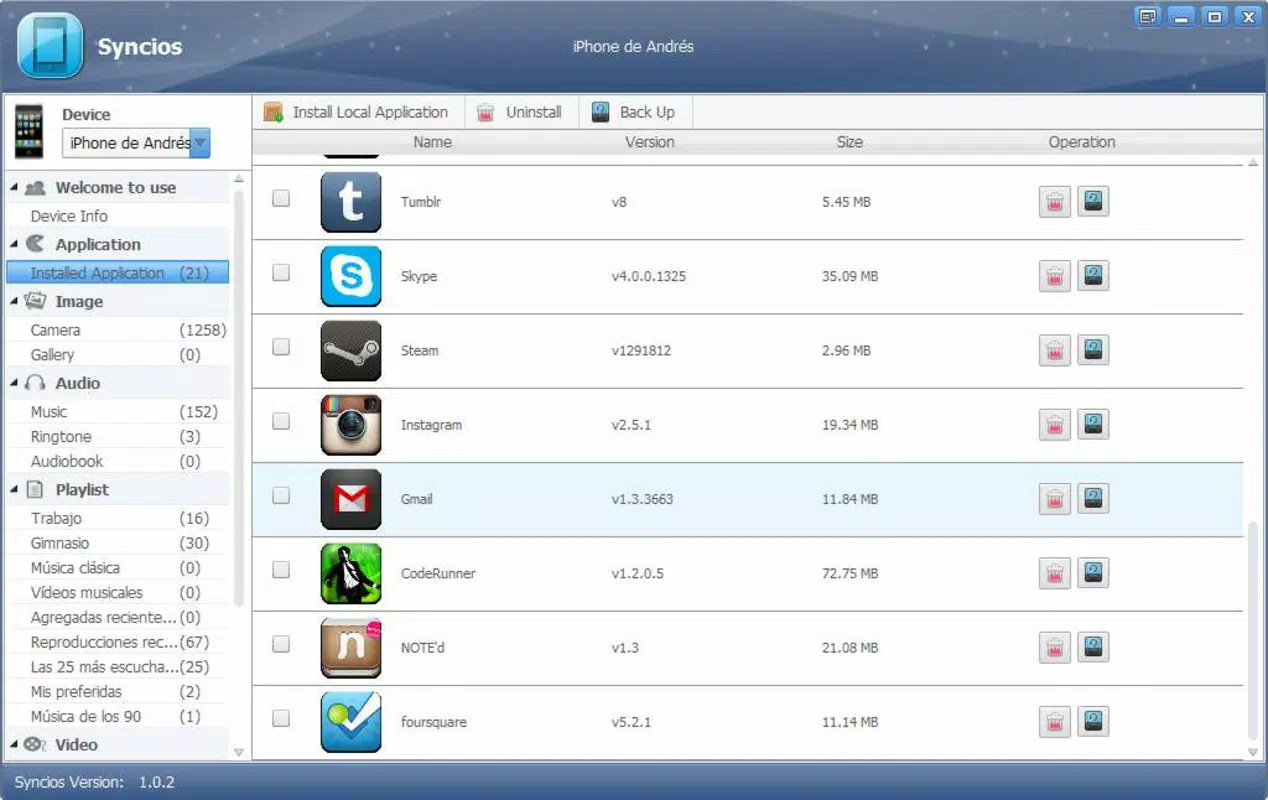
- Application Management: Users can view a list of installed apps and uninstall unwanted ones directly from the interface. Additionally, the app supports creating backups of app data and files, ensuring that important information is preserved before removal.
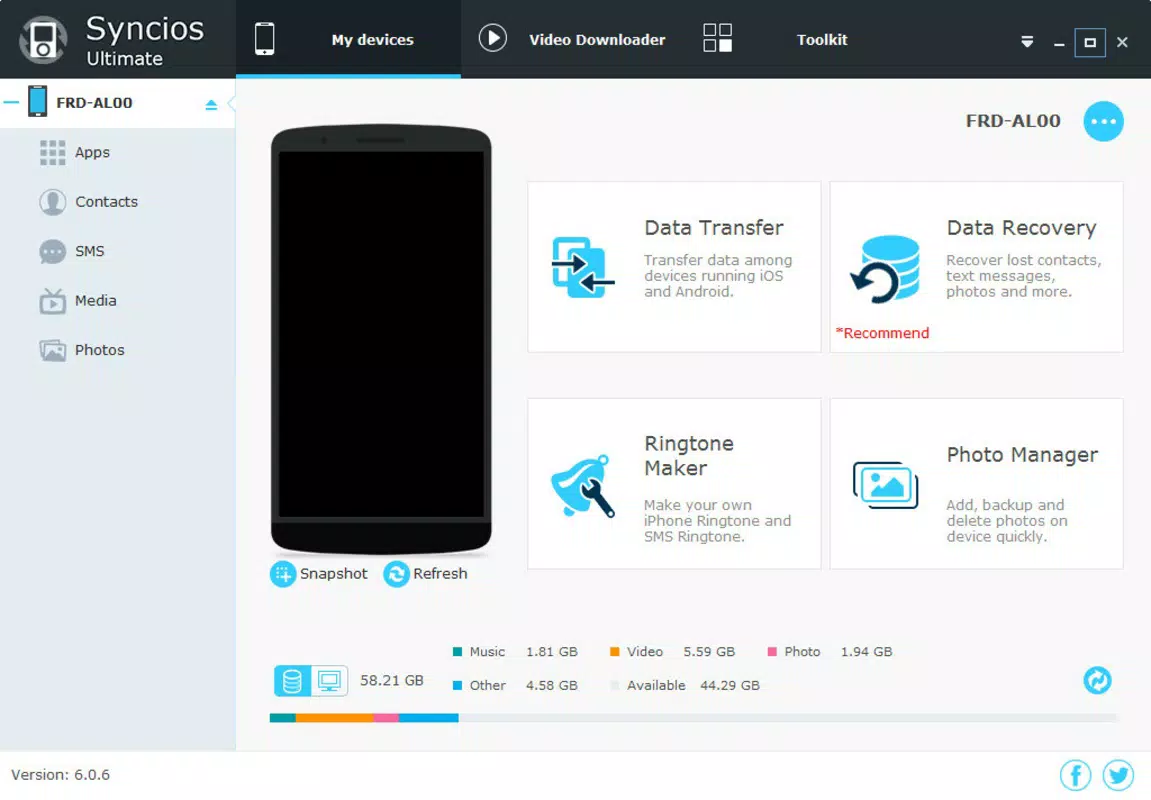
- Intuitive Interface: The layout is clean and logically organized, with clearly labeled sections for media, apps, and device settings. Navigation is straightforward, making it accessible even to users with minimal technical experience.
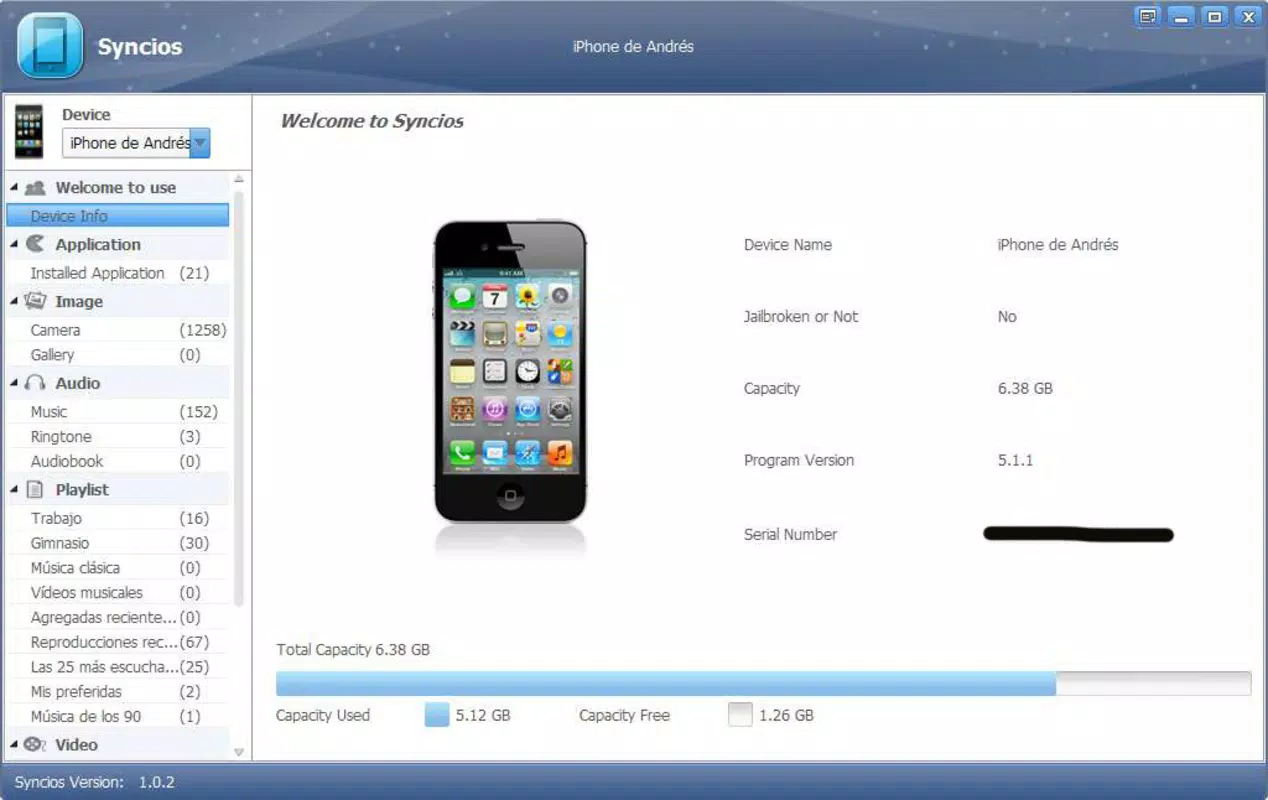
- Additional Features: The software includes supplementary tools such as device information display, file system browsing, and support for multiple device profiles, enhancing its utility for users managing several iOS devices.
These features translate into real-world benefits: a photographer can quickly transfer a full gallery from an iPhone to a desktop for editing; a parent can remove games from a child’s iPad without affecting personal data; or a business user can back up app data before updating the device’s operating system.
Interface, UX & Performance
Syncios Mobile Manager features a modern, minimalist interface with a sidebar navigation panel and a central content area. The visual design emphasizes clarity and function, using consistent iconography and color coding to differentiate file types and device statuses. Menus are context-sensitive, reducing clutter and improving usability. The application’s navigation flow is linear and predictable—users can move from device connection to file transfer to app management with minimal backtracking.
Although the developer did not list formal performance metrics, the app demonstrates responsive behavior during typical operations such as file browsing and transfer. The interface remains stable during extended sessions, with no reported crashes or freezes in standard usage scenarios. Performance on different device categories appears consistent, with smooth operation on mid-range and high-end Windows systems. The application loads quickly after launch and maintains low memory usage during active tasks. Responsiveness is maintained even when managing large media libraries or multiple devices simultaneously.
Platform Compatibility & Technical Requirements
Syncios Mobile Manager is designed exclusively for the Windows platform. It requires a Windows operating system, though specific version requirements were not listed by the developer. The application has a file size of 128.2 MB, which is relatively compact for a full-featured utility tool. This makes it suitable for installation on systems with limited storage, especially when compared to larger software suites. The app is available at no cost, with a free license model that includes access to all core features.
Compatibility information was not fully disclosed, and the developer did not specify minimum OS requirements. Users should ensure their Windows system meets general software installation standards. The app does not appear to support macOS or Linux, limiting its availability to Windows-based environments only.
Pros and Cons
Pros
- Offers a user-friendly alternative to iTunes with simplified navigation
- Supports fast and secure media transfer between iOS devices and Windows PCs
- Enables direct app uninstallation and backup creation without iTunes
- Compact file size (128.2 MB) with minimal system resource usage
- Free to download and use with no hidden in-app purchases
Cons
- Platform limited to Windows; no support for macOS or Linux
- Specific OS version requirements were not disclosed
- Developer did not provide detailed technical specifications or performance benchmarks
- May require additional drivers or software for optimal device recognition
- Limited information on update frequency or long-term support
FAQ
Is Syncios Mobile Manager safe to download and use?
Yes, the app is available for free and is designed to operate securely with iOS devices. As with any third-party tool, users should ensure they download the software from official sources to avoid potential risks.
Can I use Syncios Mobile Manager on multiple devices?
Yes, the application supports multiple iOS devices connected simultaneously. Users can manage several iPhones, iPads, or iPod Touches from a single interface.
Does Syncios Mobile Manager require iTunes to be installed?
No, the app is designed to function independently of iTunes. It establishes a direct connection with iOS devices without relying on Apple’s official software.
Is Syncios Mobile Manager compatible with the latest iOS versions?
The developer did not specify compatibility details for recent iOS releases. Users are advised to check for updates or consult official documentation for the most current information.
How often is Syncios Mobile Manager updated?
Update frequency was not disclosed by the developer. Users should monitor official channels for new releases and security patches.
Final Thoughts
Syncios Mobile Manager delivers a reliable, efficient, and accessible solution for managing iOS devices on Windows systems. Its intuitive interface, robust feature set, and lack of cost make it a compelling alternative to iTunes for users seeking a more modern and user-centric experience. Whether you're transferring photos, removing unused apps, or backing up data, the app provides a smooth and secure workflow. It stands out as a valuable utility for anyone managing iOS devices without the need for Apple’s official software. With its focus on simplicity and functionality, Syncios Mobile Manager proves that third-party tools can enhance the mobile ecosystem when designed with user needs in mind.
Download Syncios Mobile Manager now


